 NexusDM
Groups
One condition rarely says everything you want. A group combines conditions into a single one, and groups can sit inside other groups. This page covers All of, Any of and Not, how to nest them, and how the expression view reads them.
The examples use the ships of the Lantern Coast. Choose the view you’d like to see; the Guide remembers it.
All of and Any of
All of holds for a node when every condition inside it holds. Any of holds when at least
one does. In the expression view they are AND and OR.
Here are the same two conditions, a ship that is seaworthy and a ship that is in port, combined both ways.
All of: seaworthy ships that are in port
All of the two conditions leaves only the ships that are both seaworthy and in port. On this map that is a single ship, The Kestrel.
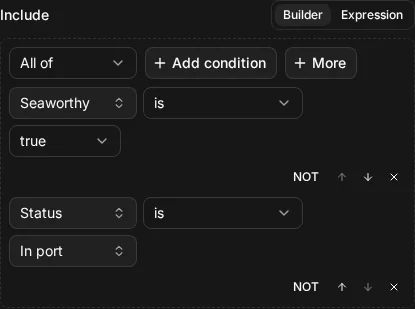
ship.seaworthy = true AND ship.status = "in_port"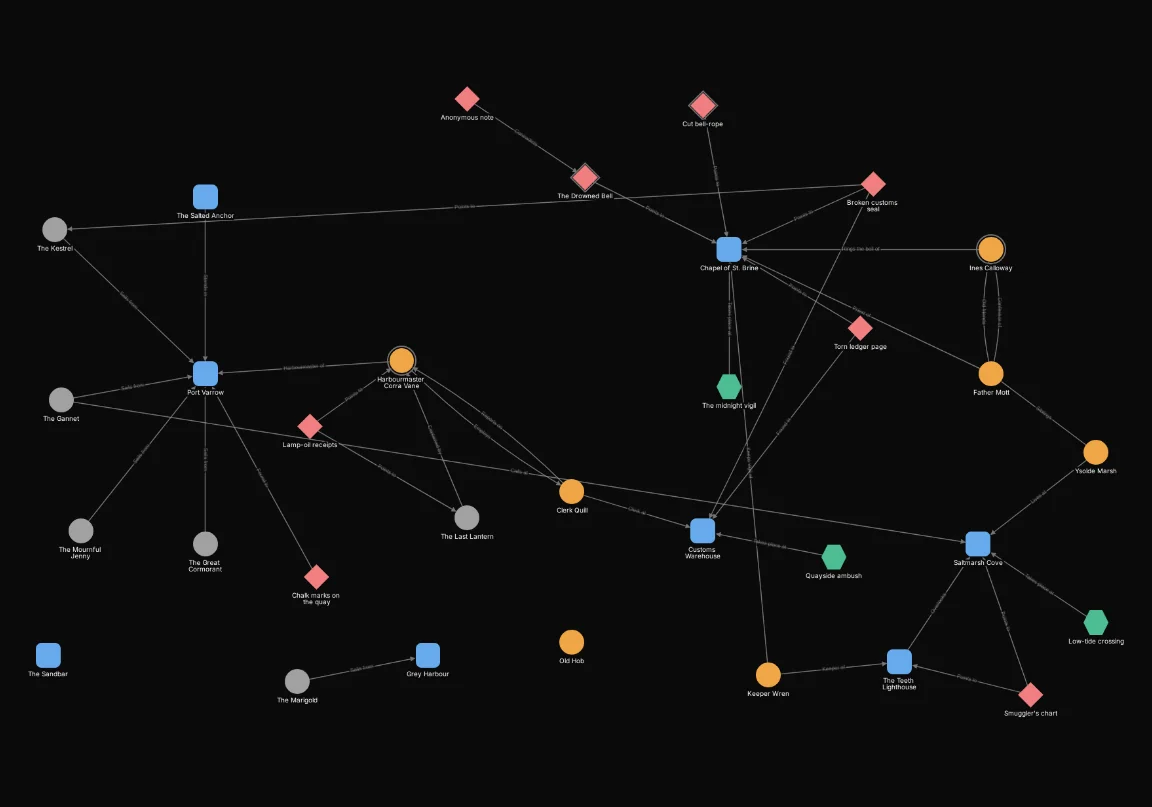

Any of: ships that are seaworthy or in port
Any of the same two conditions keeps a ship that meets either one, so the map shows many more ships. Nothing else is shown: both conditions are about ships, so no other node can meet either.
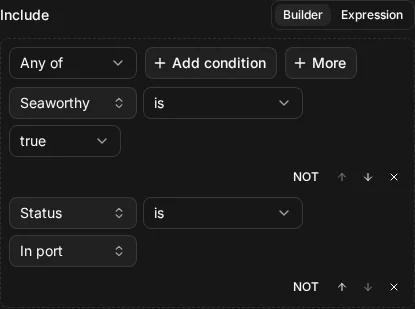
ship.seaworthy = true OR ship.status = "in_port"
All of narrows a filter; Any of widens it. Add a condition to an All of and the same or fewer nodes match; add one to an Any of and the same or more do.
Not
Not inverts what is inside it. A node matches when the condition it wraps does not hold. In the builder, every condition and every group has a NOT button.
Not: everything except ships in port
Not “status is In port” hides the ships in port. Every other node stays, and that includes nodes that aren’t ships at all.
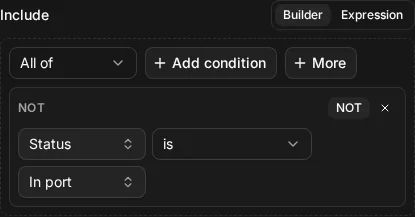
NOT ship.status = "in_port"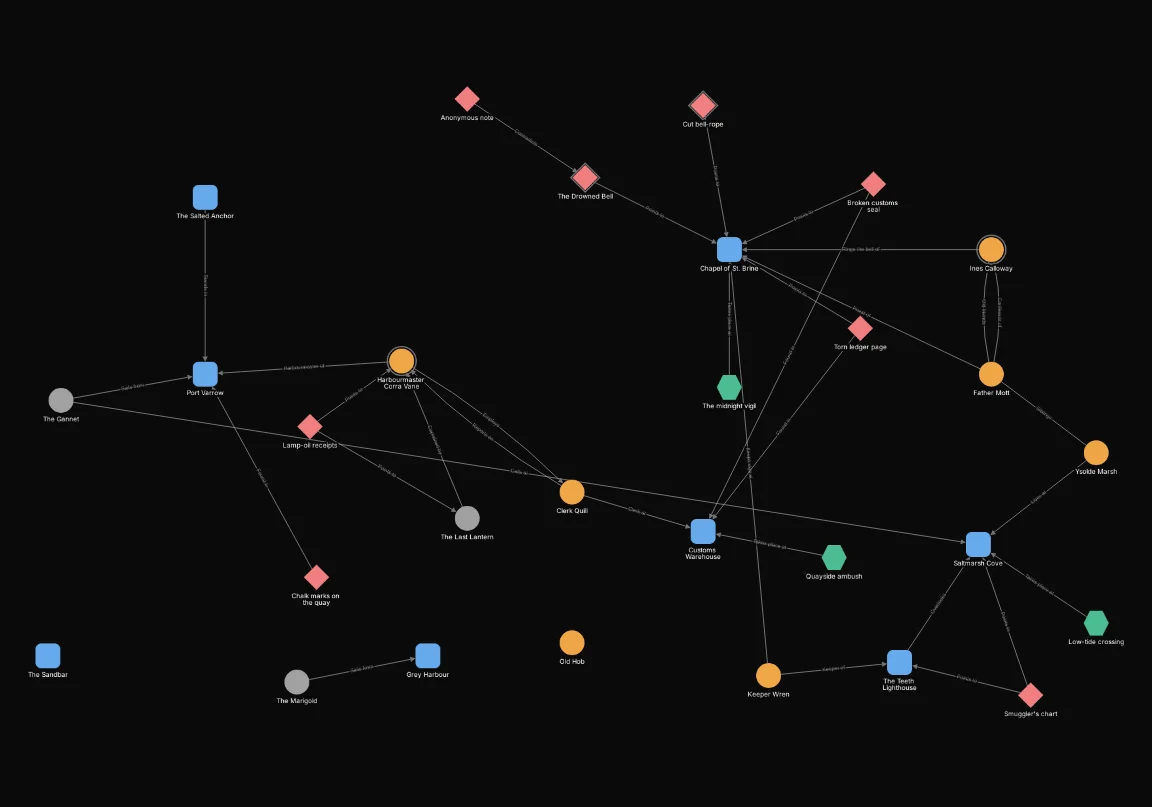
That last point matters. A condition on a ship’s field is false for a node of any other type, so Not turns it true for them. To keep Not inside one kind of node, put the type in an All of beside it: all of “type is Ship” and not “status is In port”.
Not also wraps a whole group, and inverts the group as one.
Not around a group: neither ships nor clues
Not around an Any of “type is Ship” or “type is Clue” hides the ships and the clues together, and shows everything else.
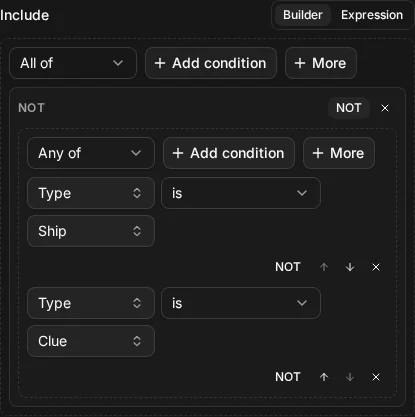
NOT (node.type = "ship" OR node.type = "clue")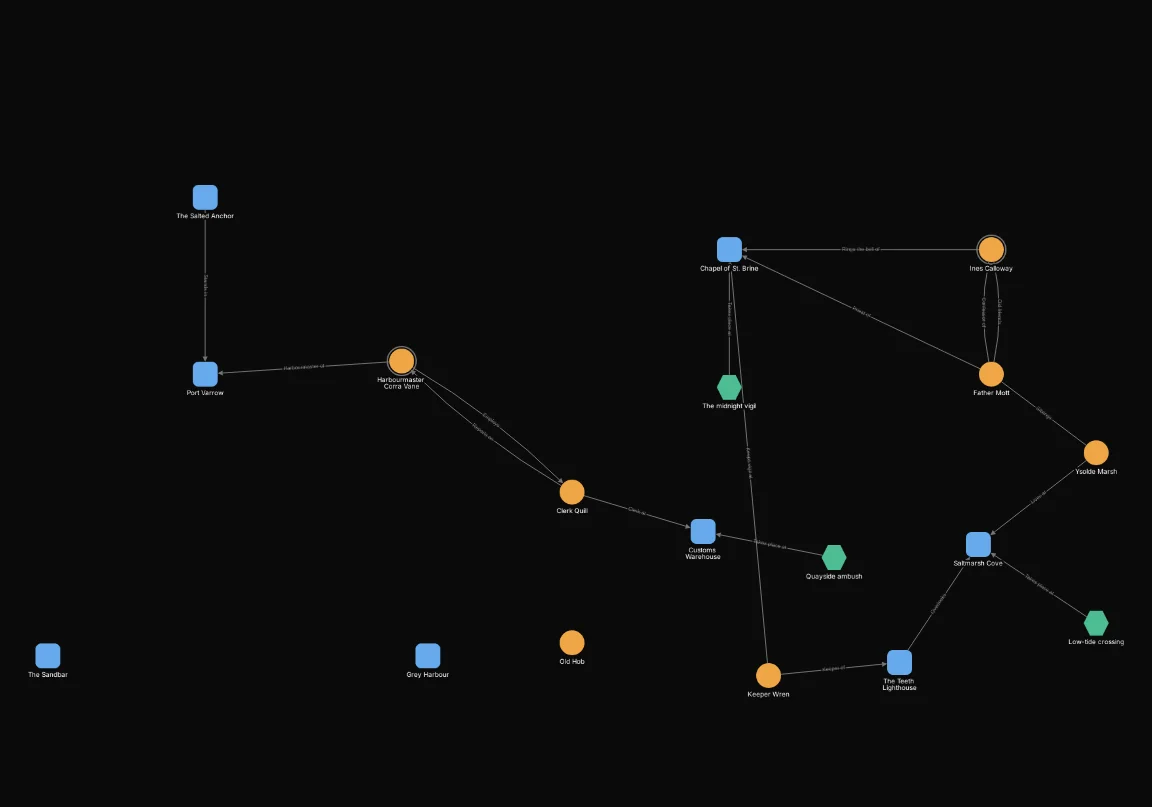
Nesting
A group can hold other groups. That’s how you say “this, and one of those”: an All of that holds a type condition and an Any of over a few alternatives.
Nesting: people from Act 1 or tagged red herring
All of “type is NPC” and an Any of “tagged Act 1” or “tagged red herring”. A person must be an NPC, and must carry at least one of the two tags. NPCs with neither tag, and every node that isn’t an NPC, are hidden.
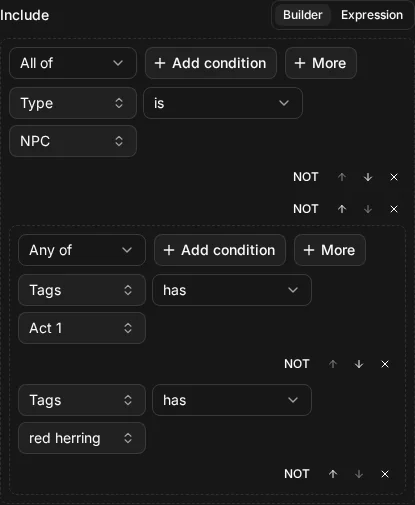
node.type = "npc" AND (node.tags HAS "Act 1" OR node.tags HAS "red herring")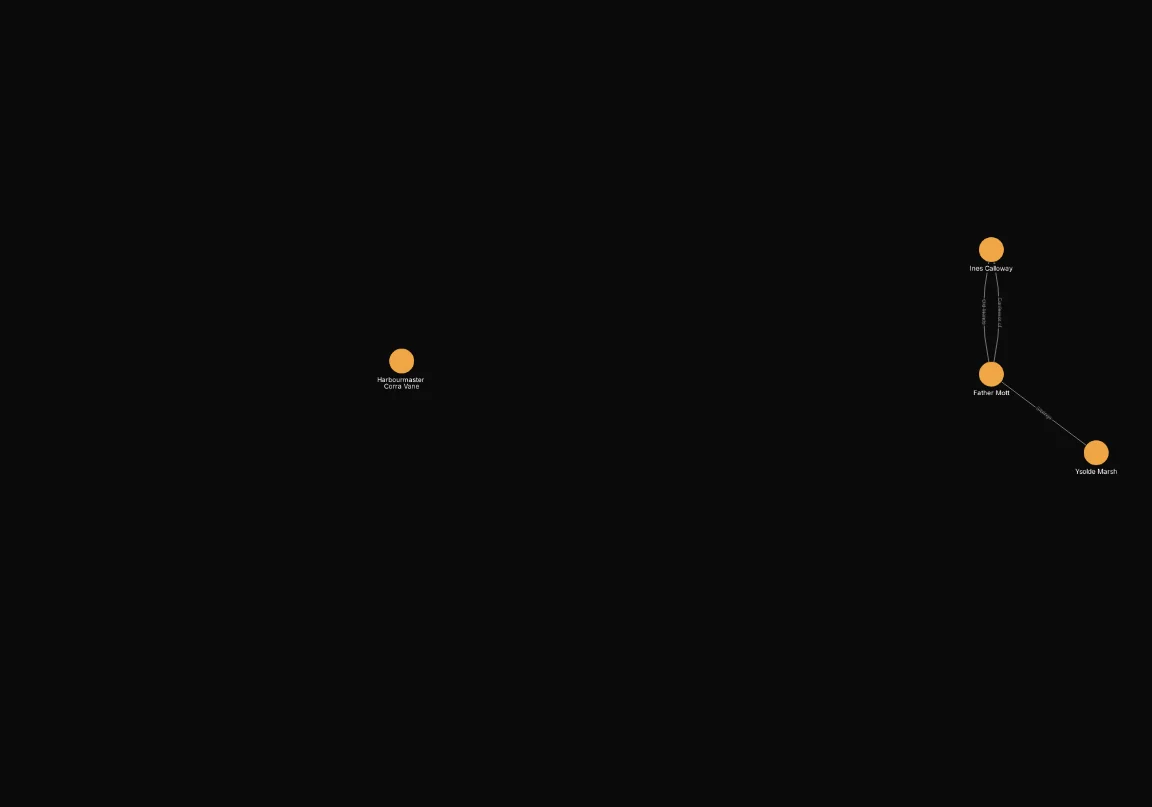
Precedence in the expression view
The builder shows nesting as groups inside groups, so there’s no doubt which condition belongs where. Text has no boxes to show it, so the expression view follows a fixed order. From the tightest to the loosest:
- brackets
( … ) NOTANDOR
So NOT applies only to the condition right after it, AND joins before OR does, and brackets
override both. For instance, NOT node.type = "clue" AND node.type = "ship" means “(not a clue)
and a ship”. To invert both conditions together, write NOT (node.type = "clue" AND node.type = "ship").
The same three conditions mean two different things with and without brackets. Without them, the AND joins first:
Precedence without brackets: clues, or seaworthy ships
node.type = "clue" OR node.type = "ship" AND ship.seaworthy = true reads as “a clue, or a
seaworthy ship”. The builder shows an Any of holding the clue condition and an All of with the two
ship conditions.
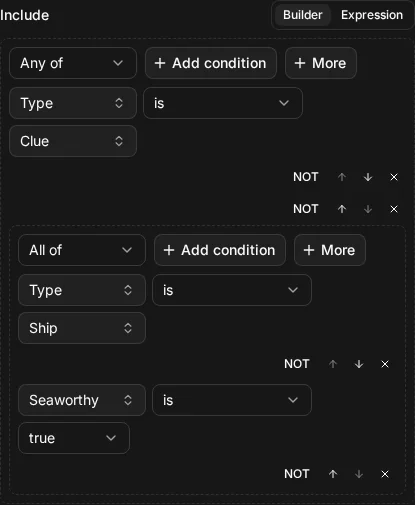
node.type = "clue" OR node.type = "ship" AND ship.seaworthy = true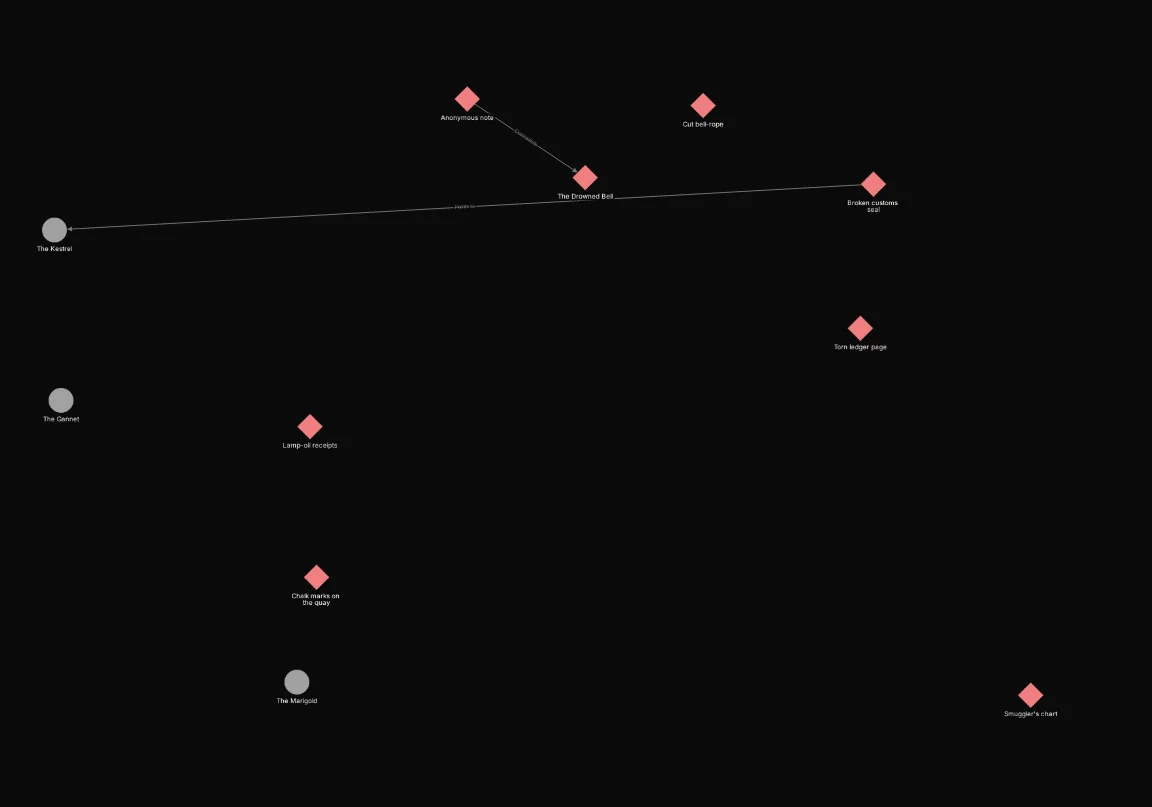
Add brackets and the OR joins first:
Precedence with brackets: seaworthy, among clues and ships
(node.type = "clue" OR node.type = "ship") AND ship.seaworthy = true reads as “a clue or a ship,
and seaworthy”. The builder now shows an All of that holds an Any of and the seaworthy condition.
Clues have no Seaworthy field, so none of them can pass: only the seaworthy ships remain.
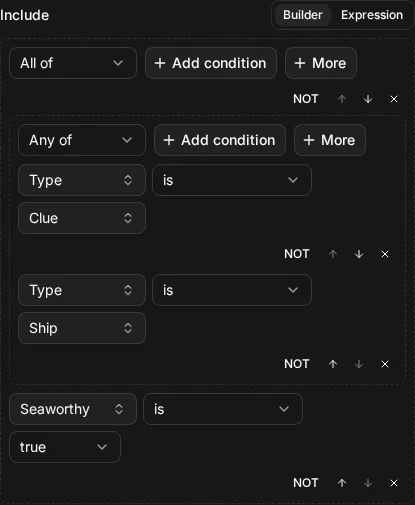
(node.type = "clue" OR node.type = "ship") AND ship.seaworthy = true
When you type an expression, the expression view prints it back with only the brackets it needs,
so (a AND b) OR c comes back as a AND b OR c. If a filter mixes AND and OR, add brackets
anyway when you write it: they cost nothing, and they show what you meant.