 NexusDM
Map positions
A map view can remember where you put its nodes. Two controls are involved: the Save positions button on the map, which stores the arrangement, and Remember positions on the Layout tab, which decides whether the view opens with that stored arrangement. Run layout, the other button, only moves nodes on screen; see Map layout.

Save positions
Arrange the map by dragging nodes, or with Run layout, then choose Save positions to store where the nodes are for this view.
- It needs a saved view. On the built-in Default view the button is off, and its tooltip says “Save the view first: positions belong to a saved view.” Save the view with Save view as… first.
- Each view has its own arrangement. The positions belong to the view and to the module whose map you are looking at. Another view, or the same view on another module’s map, has its own.
- It stores hidden nodes too. A node the filters hide keeps the position it had, and that position is saved with the rest, so the node returns to the same place when it comes back. A node that has never been drawn has no position to save.
- It replaces the stored arrangement. If someone else saved positions for the view since you opened it, the map says so and lets you choose whether to overwrite theirs.
Remember positions
The Remember positions switch on the Layout tab decides what happens when the view opens.
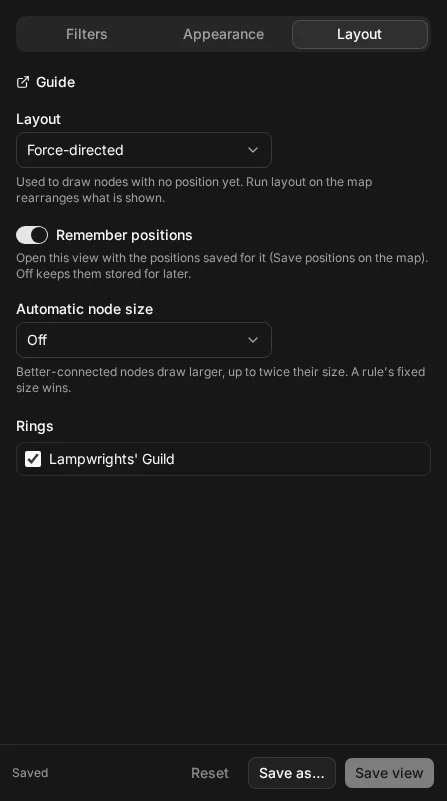
- On: the view opens with the arrangement saved for it.
- Off: the view opens as a fresh arrangement, drawn with its layout. The saved positions are not deleted. They stay stored for later, and switching Remember positions back on brings them back.
Turn it off when you want a view that always starts tidy, but don’t want to lose an arrangement you made by hand. Save positions still works while it is off, and it replaces the stored arrangement, so don’t use it if you want to keep the old one.
The 10,000 position limit
A view stores at most 10,000 positions. A map with more than that can’t save its positions: Save positions stops with “This map has too many nodes to save their positions.” The map still works, and without a saved arrangement it is drawn with its layout each time it opens.
Nodes added after positions were saved
A saved arrangement doesn’t know about nodes created later. When the view opens, the nodes with a saved position return to it. Each new node is placed near the nodes it is connected to, and a short force-directed run then spaces the new nodes out, with every saved node held in place. The view’s Layout setting isn’t used for them, and your saved arrangement isn’t rearranged. A new node isn’t saved until the next time you choose Save positions.
The exception is a view with no saved positions at all: there, the whole map is drawn with the view’s layout.