 NexusDM
Automatic node size
Automatic node size on the Layout tab makes the hubs of a map easy to spot. It has three choices:
- Off: every node is drawn at its node type’s size.
- By number of connections: a node is larger the more connections it has.
- By number of neighbours: a node is larger the more different nodes it is connected to.
The two counts differ when two nodes are joined more than once. See Connections and neighbours for the difference.
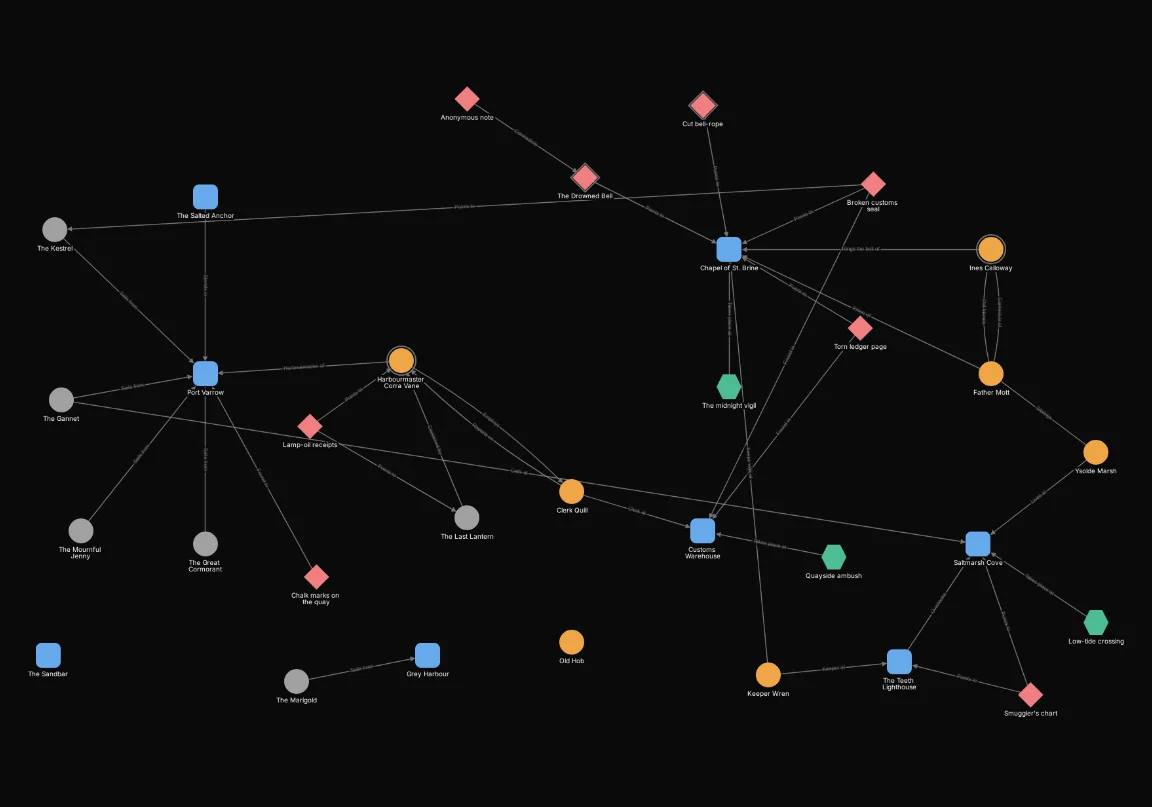
Here is the harbour map with automatic node size off:
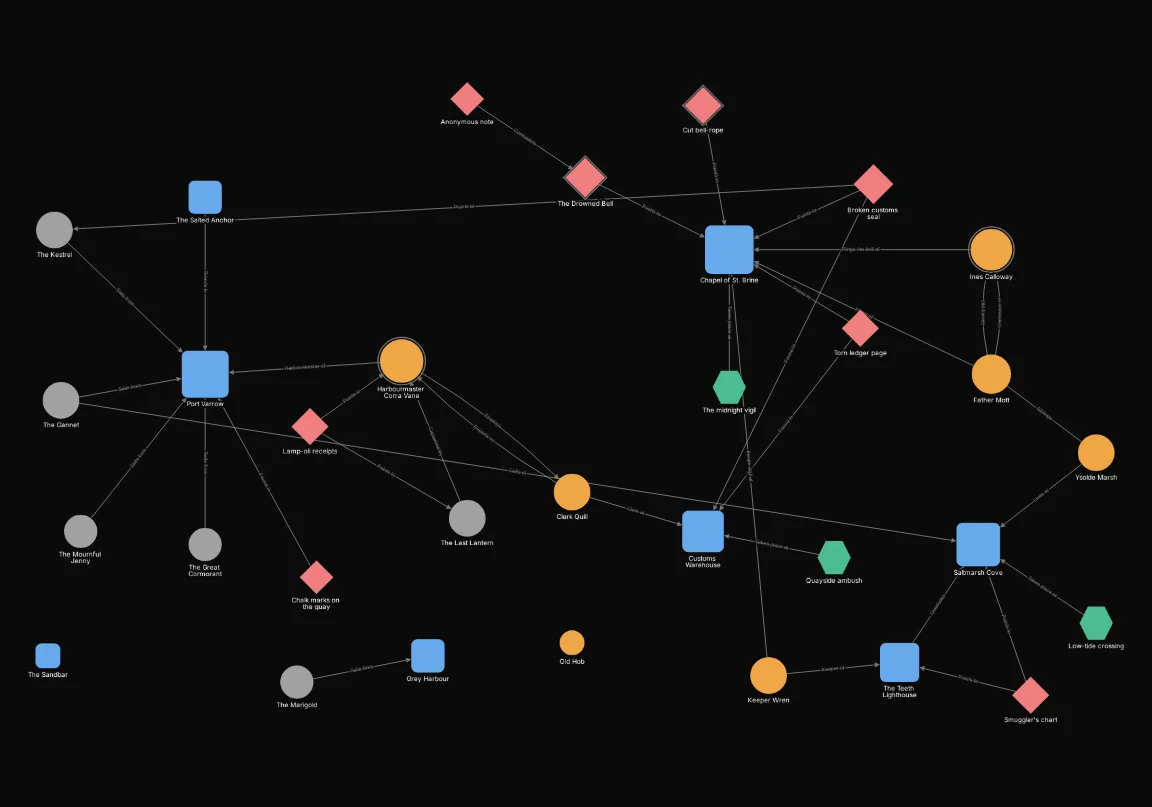
And the same map by number of neighbours:
How much larger
Better-connected nodes draw larger, up to twice their size. The node with the highest count on the map is drawn at twice its type’s size, a node with no connections at its normal size, and the rest in between. The growth is steepest at first: a node with a quarter of the highest count is already one and a half times its size.
A rule’s fixed size wins
If an appearance rule gives a node a Fixed size, that size is used and automatic sizing leaves the node alone. The two work together: automatic sizing grades the nodes that no rule has fixed. The effects are explained on Effects.
Counted over the whole scoped graph
The sizes are worked out over the whole scoped graph: every node in the map’s scope, as described on Map filters, and the connections between them. The filters hide nodes but don’t change the counts. A node with ten connections stays large when a filter hides nine of its neighbours, and the node with the highest count stays the largest.