 NexusDM
Writing filters with an AI assistant
You don’t have to learn the expression language to write a long filter. The Filters tab can copy a prompt for an AI chat assistant, such as ChatGPT, Gemini or Claude. The prompt teaches the assistant the filter language and describes your campaign’s types, so you can ask for a map in your own words and paste back the expressions it writes.
What the prompt contains
Copy AI prompt puts one long piece of text on your clipboard. It has three parts:
- The filter language: every condition, operator and rule on the Writing expressions page, with worked examples, written for an assistant.
- Your campaign context: each node type with its fields, their kinds, a Choice field’s options and the default of a Choice, Whole number, Decimal number, Date or Yes / no field; the campaign’s tags and this module’s; and the connection types on this map, with the types they join.
- A place for your request, at the end.
It doesn’t include your node names, field values, text defaults, notes, story beats or other modules’ tags. It does include the names of your types, fields, options, tags and connection types. You paste it into a service outside NexusDM, so read that service’s terms if those names are private.
Using it, step by step
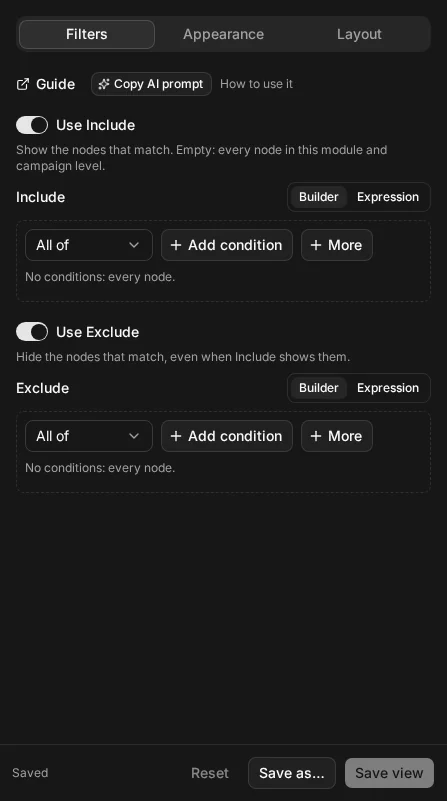
- Open the map, choose Configure view and stay on the Filters tab.
- Choose Copy AI prompt, beside the Guide link. A message confirms it was copied.
- Open a new chat in your assistant: ChatGPT, Gemini, Claude or any other.
- Paste the prompt. Under My request, at the end, replace the placeholder with what you want the map to show, then send it.
- The assistant replies with an Include expression, an Exclude expression, or both, and a sentence on what the map will show. It says “leave off” for a filter you don’t need.
- Back in NexusDM, switch the Include filter to its Expression view and paste the Include expression. Do the same for Exclude.
- Check the map, then Save view or Save as… to keep it.
Text with a mistake in it never replaces the filter already applied, so pasting a wrong answer can’t break your map. The problem is listed under the text instead.
An example
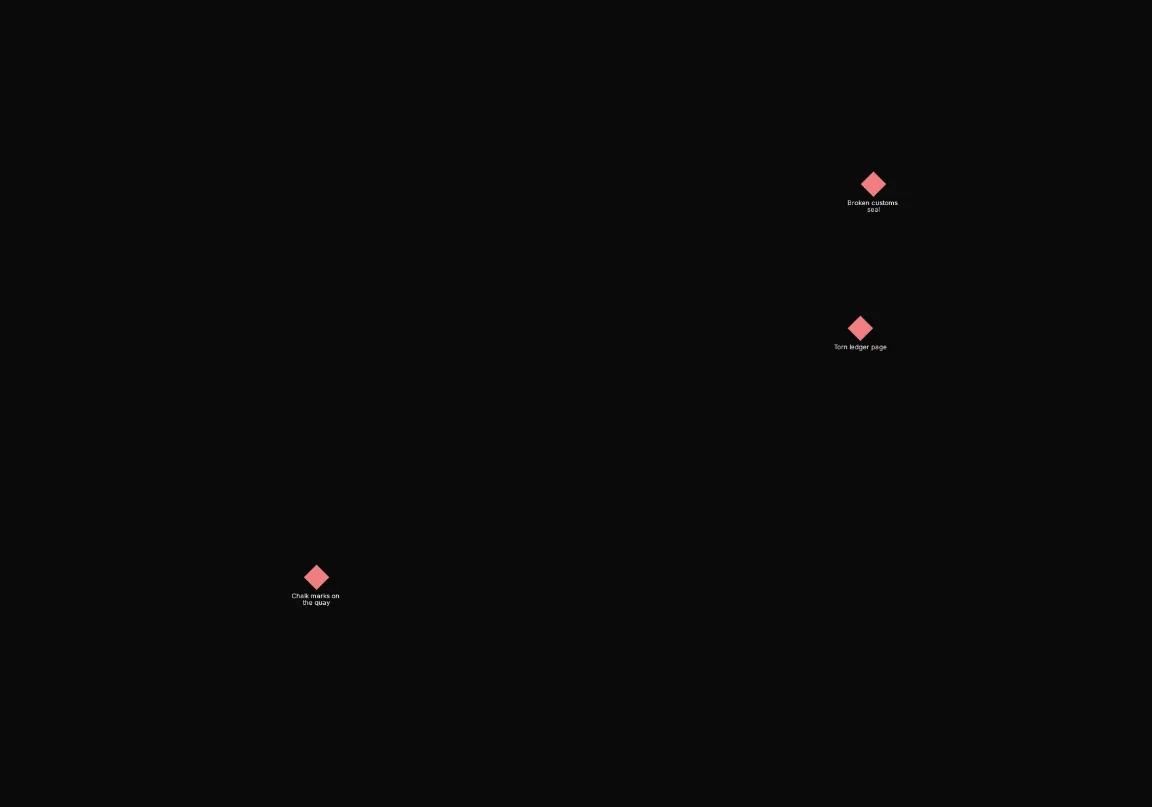
On the Lantern Coast, the request was “Clues that were found somewhere the party has visited.” Choose how you’d like to see the answer; the Guide remembers your choice.
An assistant's answer to "clues that were found somewhere the party has visited"
The assistant answered with this Include and no Exclude. It keeps the clues with a Found in connection leading out of them to a location whose Visited field says visited: the Torn ledger page and the Broken customs seal, found in the Customs Warehouse, and the Chalk marks on the quay, found in Port Varrow.
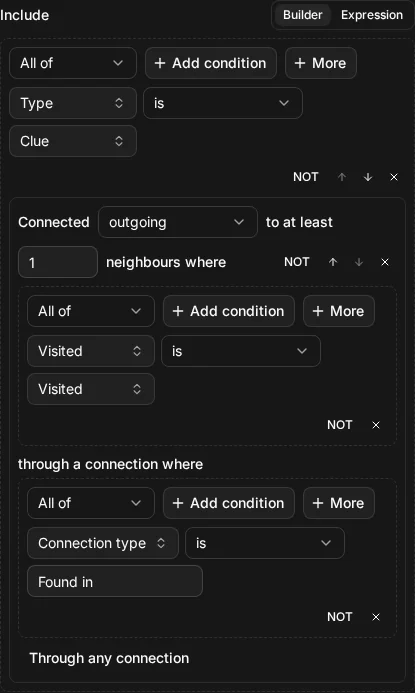
node.type = "clue" AND connected_to(location.visited = "visited", via: type = "Found in", direction: "out")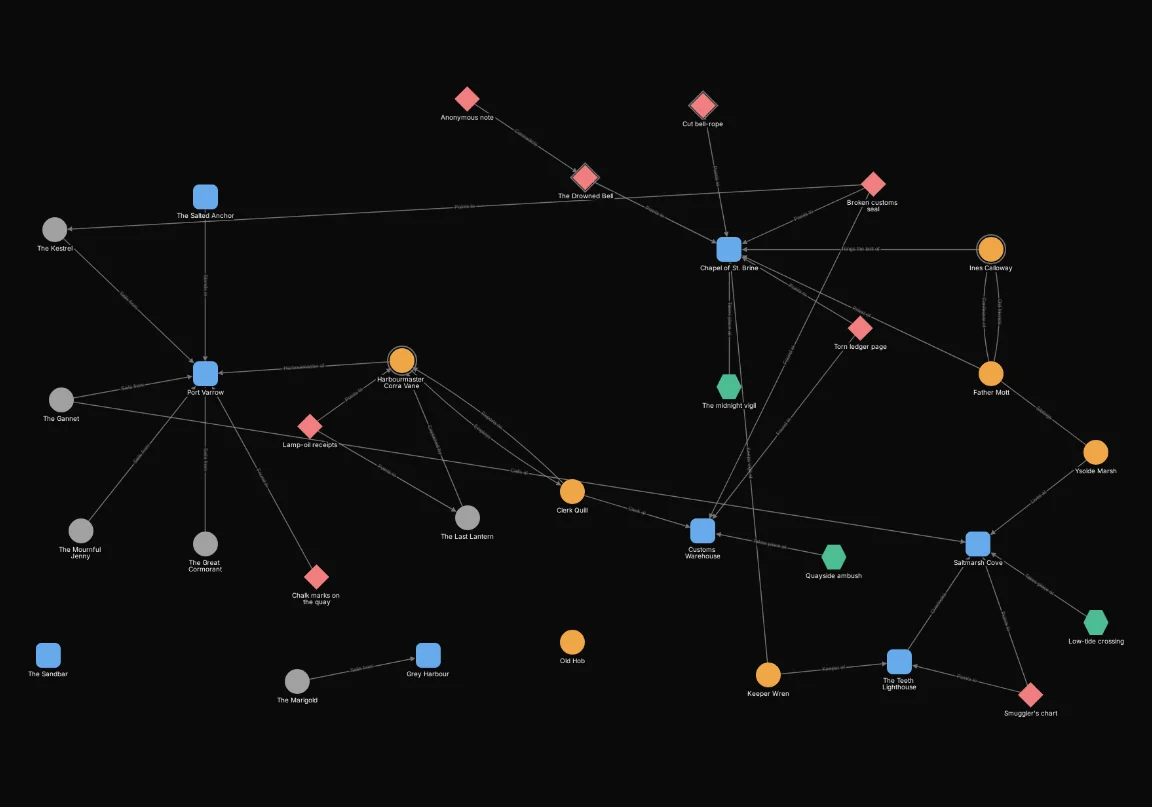
Asking well
- Describe the map, not the syntax. “NPCs who haven’t been met yet, and the places they’re linked to” works better than trying to name operators.
- One map per chat. Start a new chat for an unrelated filter, so earlier answers don’t steer the next one.
- Name nodes as they’re written. The assistant can’t see node names. It matches a name you give with contains, so “Corra” finds “Harbourmaster Corra Vane”. Give the whole name in quotes when only the exact name will do.
- Say which you mean. “Everyone” means people to the assistant, not every node. If a request could mean two things, it gives its best reading and names the other one.
- Paste errors back. If the Expression view shows a problem, paste the message into the same chat. The assistant corrects the expression.
- Copy again after changing types. The prompt is a snapshot of your types, tags and connection types when you copied it. After adding a field or a tag, copy a fresh one.
What it can’t do
Some things a filter can do still need the builder:
- One particular story beat or node. These are written by id, which the prompt doesn’t contain. Ask for the rest of the filter, then add a Story beats or Node condition in the builder.
- Anything the language has no condition for, such as when a node was created or edited. The assistant says so rather than inventing a condition.
- More than three relationship steps. The limit is on Writing expressions; the assistant offers a version within it.
The assistant can still be wrong. Check that the map shows what you asked for, and read the assistant’s sentence about what the map will show. The Examples page has filters you can compare with.