 NexusDM
Badges and counts
A badge is a small icon an appearance rule puts on a corner of a node. A badge can also show a badge count: a number worked out from the node’s connections or neighbours.
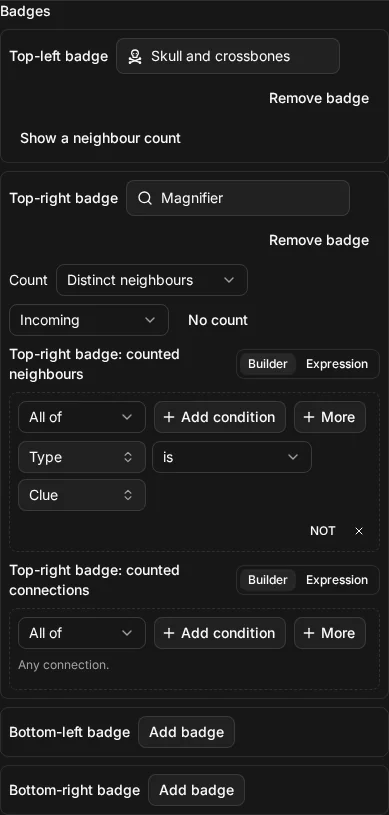
The four corners
A rule has four corners it can put a badge on: Top-left badge, Top-right badge, Bottom-left badge and Bottom-right badge. Each corner has its own box in the rule’s Badges section. Choose Add badge to put one there, and Remove badge to take it away.
A node can show a badge in every corner at once. When two rules set a badge in the same corner, the later rule wins that corner, and only that corner; see Rules and order.
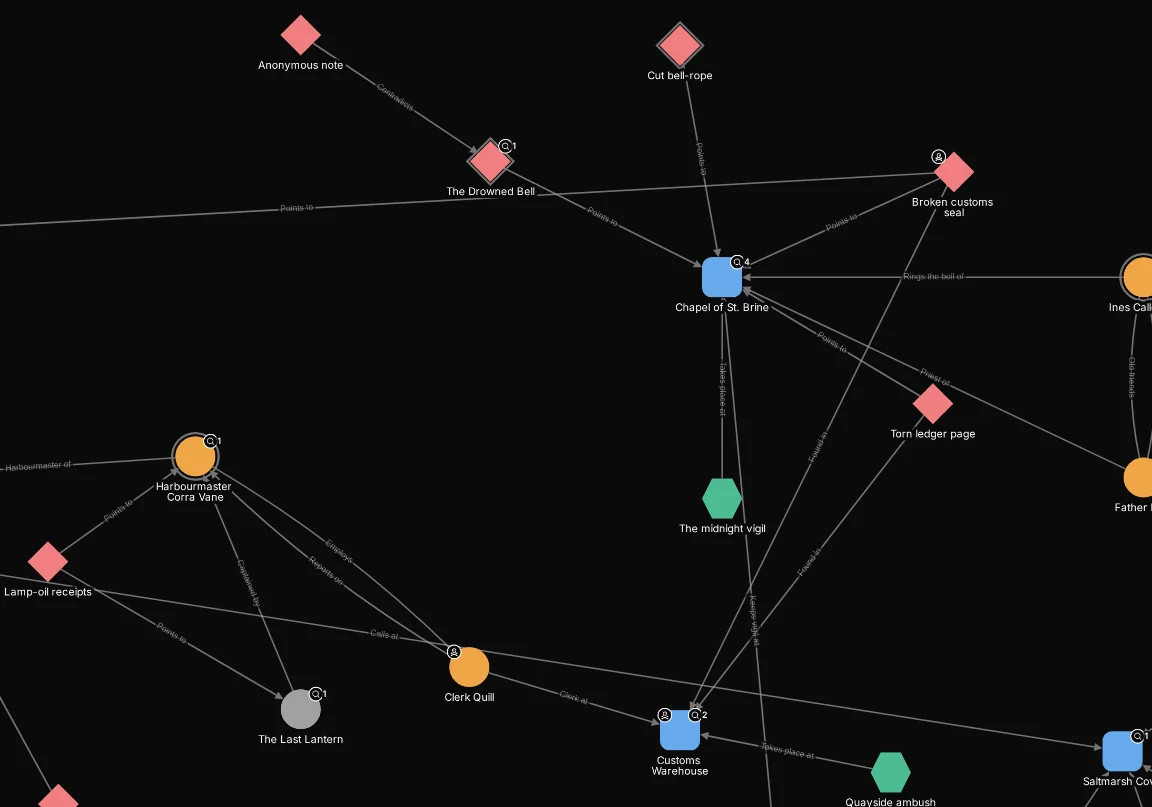
On the map, a badge sits on its corner of the node, and a count is drawn on the badge. Here the chapel’s cluster shows the magnifier badge on the top-right of each node a clue points at, with the number of clues, and a skull on the top-left of the smugglers.
Choosing the icon
Every badge has an icon, and a new badge starts with the first icon in the library. Choose the icon button to open the icon picker. It offers two kinds of icon:
- The library: the icons NexusDM comes with.
- Your uploads: icons you have uploaded yourself.
If an icon is deleted after a badge uses it, the repair list flags the badge, and its Choose an icon action takes you to it.
Badge counts
By default a badge is just an icon. Choose Show a neighbour count on a badge and it also shows a number, for example how many clues point at an NPC. Choose No count to go back to the icon alone.
A count is made from three choices.
What it counts
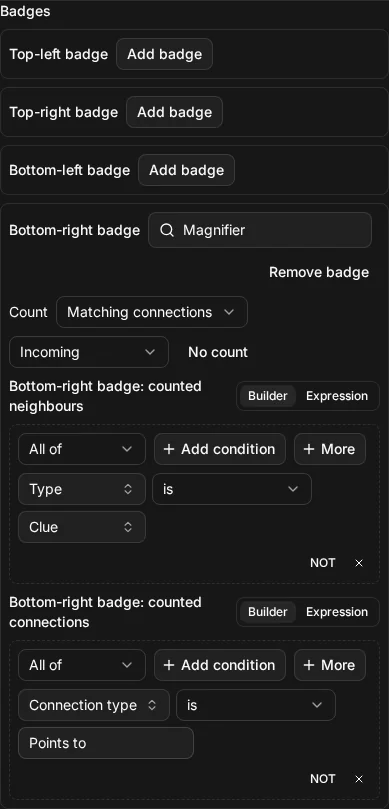
The first choice, next to the Count label on the corner, is one of:
- Distinct neighbours: the number of different nodes at the other end of the node’s connections. Several connections to the same neighbour count once.
- Matching connections: the number of connections. Several connections to the same neighbour each count.
This is the same difference as between a connection count and a neighbour count in Connections and neighbours.
Which neighbours and connections
Two selectors narrow what is counted. You write them in the builder or the expression view like any other selector:
- Counted neighbours is the neighbour condition. A neighbour is counted only when it meets it, for example when its type is Ship. Empty means any neighbour.
- Counted connections is the connection condition. A connection is counted only when it
meets it. A connection has only its type, text and tags to test, as in a
connection(…)filter. Empty means any connection.
With both set, the neighbour must meet the first and be reached by a connection that meets the
second, as in a connected_to condition in a filter.
Direction
The direction chooses which way the connections lead, as seen from the node the badge is on:
- Either direction, the default, counts every connection.
- Outgoing counts connections that lead out of the node.
- Incoming counts connections that lead into it.
A connection with no direction, such as “Siblings”, is counted only by Either direction.
Immediate neighbours only
A count looks at a node’s immediate neighbours only. It can’t count the neighbours of the neighbours or follow a chain of connections. What it counts is always one step away, but the Counted neighbours condition is a full node selector, so it can ask about each neighbour’s own connections, such as “neighbours connected to a clue”.
Counts are worked out over the whole scoped graph, so hiding nodes with a filter doesn’t change them. See Map appearance.
A broken count stops the view applying
If a count can’t be worked out, for example because its neighbour condition uses a field that was deleted, the rule is broken and the view is not applied until the count is fixed or the rule is switched off, as for any broken rule. The repair list names the problem, so you can fix the condition, remove the count or the badge, or turn the rule off.